[Open Source] Automatically give eyes to AIs that can't view images: DeepSeek/Kimi no longer error on screenshots

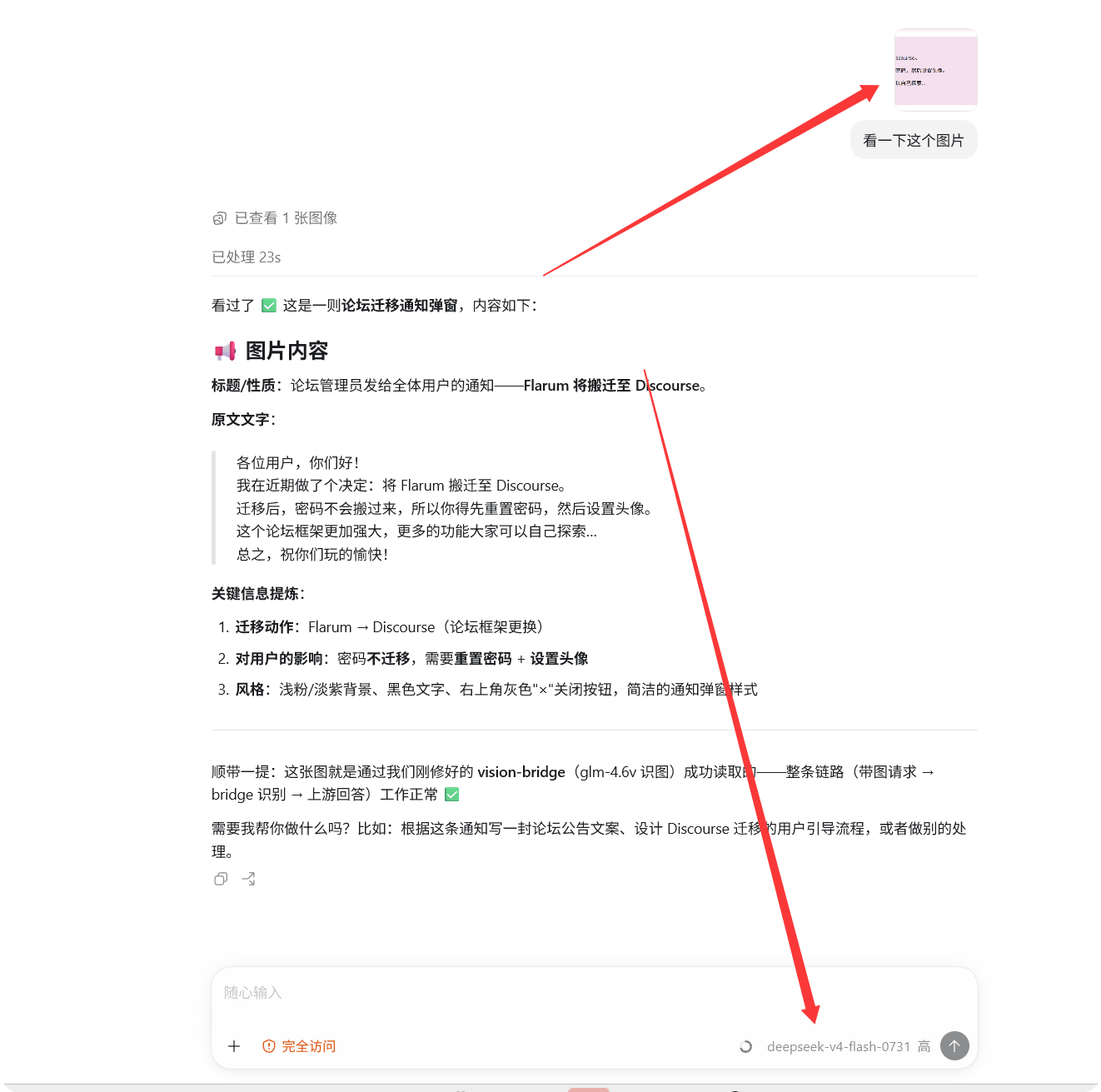
Hello everyone! I’d like to share a small tool I’ve been working on recently called Auto Vision Bridge, which can turn any large model that doesn’t support vision into one that “can see images.”

The pain point is simple: Text models like DeepSeek, Kimi, and ERNIE Bot either throw errors or give irrelevant answers when you send them screenshots. Every time, you have to manually convert the image to text and feed it back, which is very tedious. This project is a lightweight relay layer (reverse proxy) that sits between the AI client and the model service, automatically handling image recognition.

GitHub Repository: Auto Vision Bridge (A Star for encouragement would be appreciated!)

What This Project Is

Auto Vision Bridge is a zero-dependency Node.js relay service (Node ≥ 18, no npm install required). When a request contains an image, it automatically determines whether the model supports vision—if it does, the image is passed through as-is; if not, it calls a vision model to recognize the text and then forwards it. The entire process requires no manual intervention.

Core Highlights

  • Intelligent Judgment: Three-tier decision-making with whitelist / blacklist / heuristics. Unknown models are treated as “not supported” by default, ensuring images never cause errors.
  • Zero Dependencies: Uses only native Node.js modules. Clone it, and it runs directly with node bridge/server.mjs.
  • Full Coverage of Three Image Channels: Chat API, Responses API, and Markdown images.
  • Same-Image Caching: The same image won’t trigger repeated vision API calls (300-entry LRU cache), saving both money and time.
  • API Key Security: The vision API Key is stored only in the local config.json (already gitignored) and never enters git.
  • Interactive Configuration Wizard: node scripts/setup.mjs allows silent Key entry, automatic backups, and optional verification.
  • Bonus MCP Mode: Standard MCP Server (analyze_image tool), supporting 7 providers and 20+ free vision models.

Quick Start

git clone https://github.com/nhzhongguo/auto-vision-bridge
cd auto-vision-bridge
node scripts/setup.mjs   # Interactive configuration for Key and upstream address
node bridge/server.mjs   # Start

Then change the AI client’s base_url to http://127.0.0.1:57399/v1 and restart. There is also a hidden-window startup script for Windows.

Use Cases

Suitable for text models like DeepSeek / Kimi / ERNIE Bot + screenshot scenarios, as well as for pass-through with vision models like gpt-4o / Gemini / Claude. If you don’t want your AI assistant to handle your API Key, you can run the configuration wizard yourself.

Project Status

  • License: MIT
  • Current Status: Actively iterating. Issues / PRs / feature suggestions are welcome.

If you find this helpful, feel free to head to GitHub and give it a Star. If you encounter issues, you can reply directly in the post or open an Issue/PR.

1 Like

Welcome to our forum! We look forward to continued contributions!

Wait, there’s an error here…

PS C:\Users\akari> node bridge/test-bridge.mjs --image C:\Users\akari\OneDrive\Pictures\ENDFIELD\ENDFIELD_SHARE_1769304622.png
node:internal/modules/cjs/loader:1520
  throw err;
  ^

Error: Cannot find module 'C:\Users\akari\bridge\test-bridge.mjs'
    at Module._resolveFilename (node:internal/modules/cjs/loader:1517:15)
    at wrapResolveFilename (node:internal/modules/cjs/loader:1071:27)
    at defaultResolveImplForCJSLoading (node:internal/modules/cjs/loader:1095:10)
    at resolveForCJSWithHooks (node:internal/modules/cjs/loader:1122:12)
    at Module._load (node:internal/modules/cjs/loader:1294:5)
    at wrapModuleLoad (node:internal/modules/cjs/loader:255:19)
    at Module.executeUserEntryPoint [as runMain] (node:internal/modules/run_main:154:5)
    at node:internal/main/run_main_module:33:47 {
  code: 'MODULE_NOT_FOUND',
  requireStack: []
}

Let me see what’s going on…

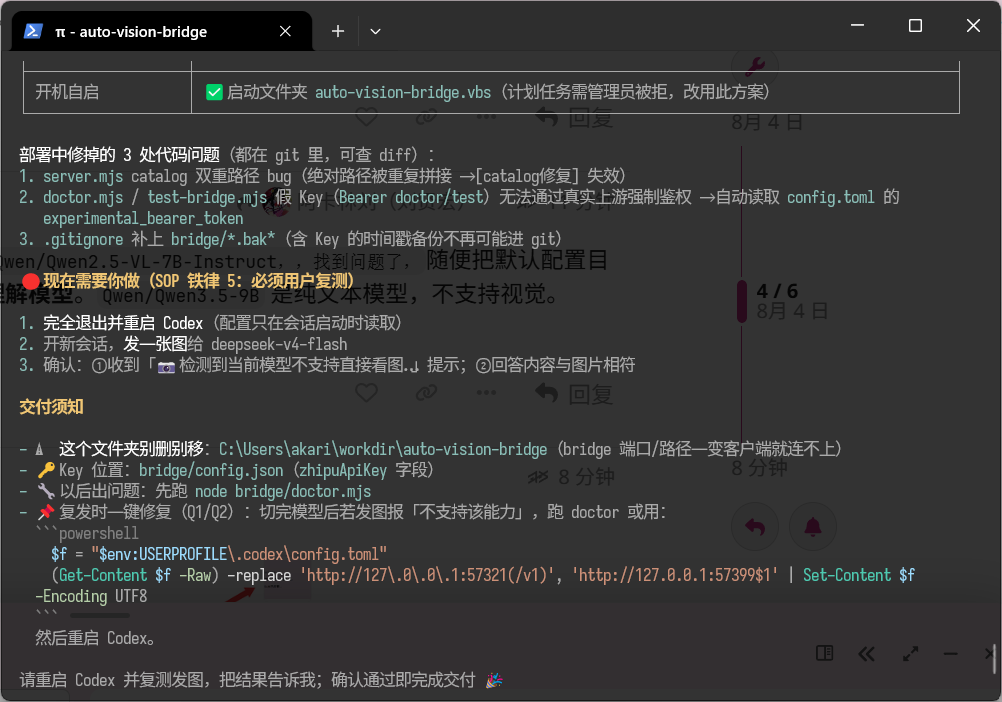
SiliconFlow’s vision model defaults to Qwen/Qwen2.5-VL-7B-Instruct. Found the issue — also fixed the default config directory while at it. You need to use a visual understanding model. Qwen/Qwen3.5-9B is a text-only model and does not support vision.

During deployment, the AI also discovered a bug…

Alright mate, can it recognise images yet? If it still can’t, I’ll uninstall what’s on my PC first, then redeploy and have another look :joy:

That’s right, ChatGPT can call the vision model.

The results of your software are excellent, and I had a great experience using it.